Had to share, but gotta make this quick because I am about three tangents removed from the stuff I planned to do today. This Raku script prints out code points for emoji characters with a little help from Pretty::Table.
#!/usr/bin/env raku

use Pretty::Table;

sub emoji-table(Str $emoji) {
  my $table = Pretty::Table.new:
    title => "Emoji Breakdown",
    field-names => [
      "Name",
      "Code",
      "Hex Code",
      "Emoji",
    ],
    border => False,
    align => %(
      Code => "r",
      "Hex Code" => "r",
    )
  ;

  for $emoji.ords -> $ord {
    my $chr = $ord.chr;
    $table.add-row: [
      $chr.uniname,
      $ord,
      $ord.base(16),
      $chr,
    ];
  }

  return $table;
}

sub MAIN(Str $emoji) {
  say "";
  say emoji-table($emoji);
}
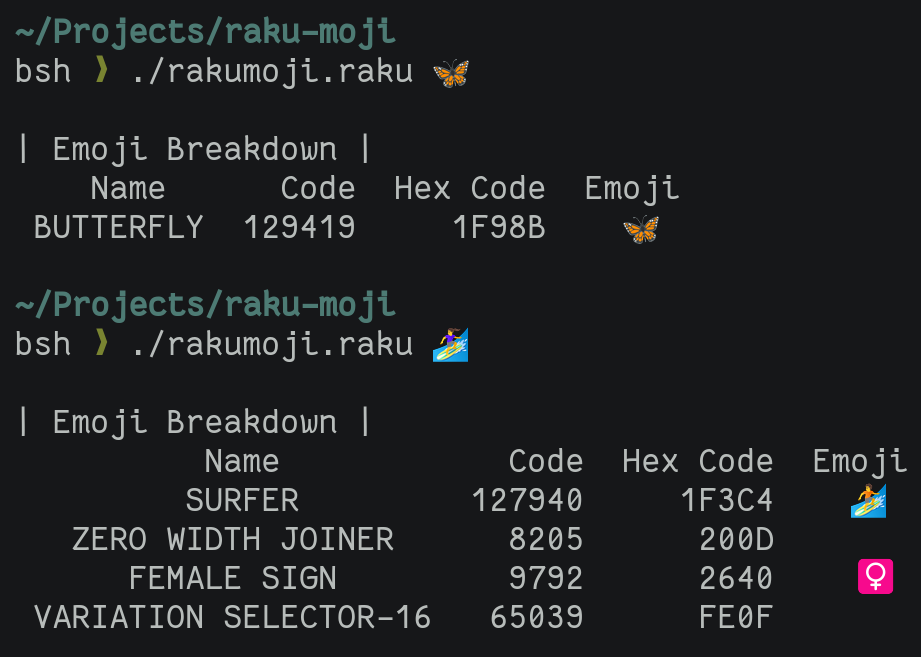
And here’s what it looks like in action:
bsh ❯ rakumoji 🦋

| Emoji Breakdown |
    Name      Code  Hex Code  Emoji
 BUTTERFLY  129419     1F98B    🦋
Why?
So I’m doing a thing with a CSS stylesheet involving display of emojis. You don’t want the emoji in a stylesheet though. More portable to use code points, the numeric value or values a computer uses to identify the character.
The problem: I don’t know the code point. I use a convenient emoji picker. All it gives me is a character.
I’ve had some luck looking this stuff up online. But why spend 10 seconds looking it up when I could spend half an hour writing code and another hour rationalizing my decision in a blog post?
Str.ord gets me the ordinal for a single character. That’s not always what I need though. What looks like a single character could be composed of several codepoints.
Unicode is weird.
Str.ords gives me a list of all code points in the string, whether one or several. I get the name of the emoji as well with str.uniname. I can use that name with Str.uniparse to get the emoji again.
bsh ❯ raku -e 'say "butterfly".uniparse;'
🦋
Pretty::Table makes it look nice — or as nice as my terminal can manage — no matter how many code points are in the emoji.
bsh ❯ rakumoji 🏄♀️
| Emoji Breakdown |
Name Code Hex Code Emoji
SURFER 127940 1F3C4 🏄
ZERO WIDTH JOINER 8205 200D
FEMALE SIGN 9792 2640 ♀
VARIATION SELECTOR-16 65039 FE0F ️I helped the terminal out by putting the emoji character at the end of each line. Otherwise the pretty table layouts get offset weird.
Anyways I had fun. And now I’m only two tangents away from the day’s intended tasks.
Backlinks
Got a comment? A question? More of a comment than a question?
Talk to me about this page on: mastodon
Added to vault 2024-01-15. Updated on 2024-04-01