Used CogDB to describe a folder hierarchy. Easier than figuring out how to annotate recursive structures for Mypy.
I got some weird ideas of hard vs easy.
”)
Okay fine. Here’s a cleaned-up version of the code looking at my main blog Markdown sources.
from dataclasses import dataclass, fieldfrom pathlib import Pathfrom typing import Dict, Set
from cog.torque import Graph

@dataclassclass Folder:    root: Path    pattern: str    graph: Graph = field(init=False)    files: Dict[str, str] = field(init=False)    graph_paths: Set[str] = field(init=False, default_factory=set)
    def __post_init__(self):        self.graph = Graph("files")        self.__load_files()
    def __load_files(self):        self.files = {}
        for path in self.root.glob(self.pattern):            self.load_path(path)
    def graph_path_for(self, path: Path) -> str:        # some funkiness because this started on windows        return "/".join(path.relative_to(self.root).parts)
    def load_path(self, path: Path):        graph_path = self.graph_path_for(path)        self.files[graph_path] = "FILLER"        self.graph_paths.add(graph_path)        self.place_graph_path(path)
    def place_graph_path(self, path: Path):        if path == self.root:            return
        parent = path.parent        graph_child = self.graph_path_for(path)        graph_parent = self.graph_path_for(parent)        self.graph_paths.add(graph_parent)        self.graph.put(graph_parent, "parent", graph_child)        self.place_graph_path(parent)

if __name__ == "__main__":    root = Path("~/Sites/rgb-hugo").expanduser()    folder = Folder(root, "**/*.md")    url = folder.graph.v().tag("from").out("parent").tag("to").view("parent").url    print(url)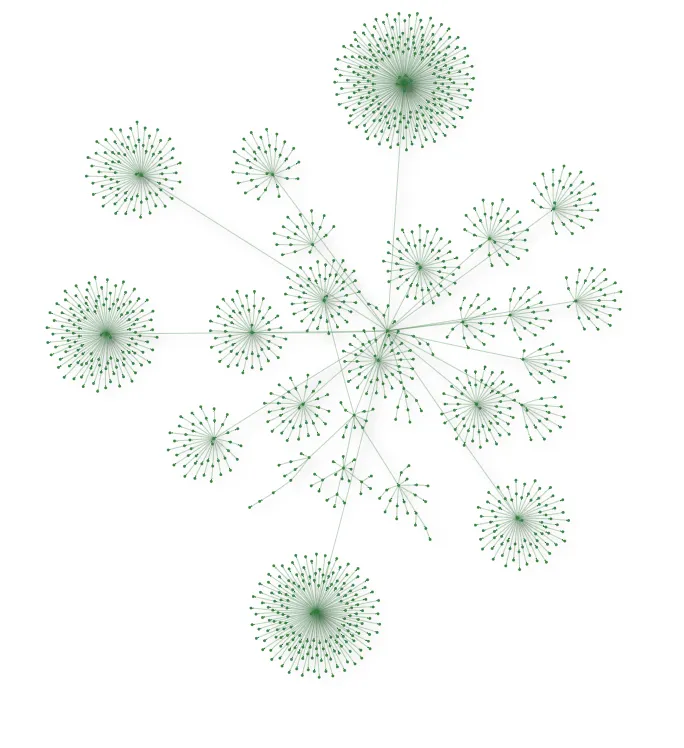
Aside from the pretty picture, the nested structure that is now a graph helps me pull some files into Logseq for better notes.
ooh i could pull my site into logseq
Go to bed, Brian.